
SANZE
Menu

Team Conversations That Keep Work Moving

Connect people, messages, files, and decisions in one secure workspace so every conversation stays clear and actionable.

Team Conversations That Keep Work Moving

Every Conversation. One Connected Workspace.

Give teams one place to discuss work, share context, and keep important information available long after a message is sent.

Communicate Clearly

Keep direct and group conversations organized so everyone has the context they need.

Stay Connected

Bring teammates together in focused rooms without separating discussion from daily work.

Share with Context

Send files, images, videos, and links while preserving the conversation around them.

Everything Teams Need to Communicate Clearly

The Right Conversation for Every Team

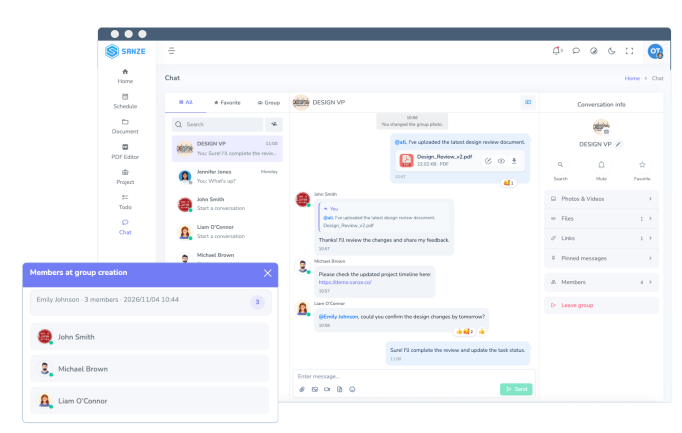
Move naturally between private conversations and team rooms while keeping people, messages, and decisions easy to follow.

  • Direct messages
  • Team chat rooms
  • Room owners and members
  • Group names, descriptions, and avatars
Share More Than Messages

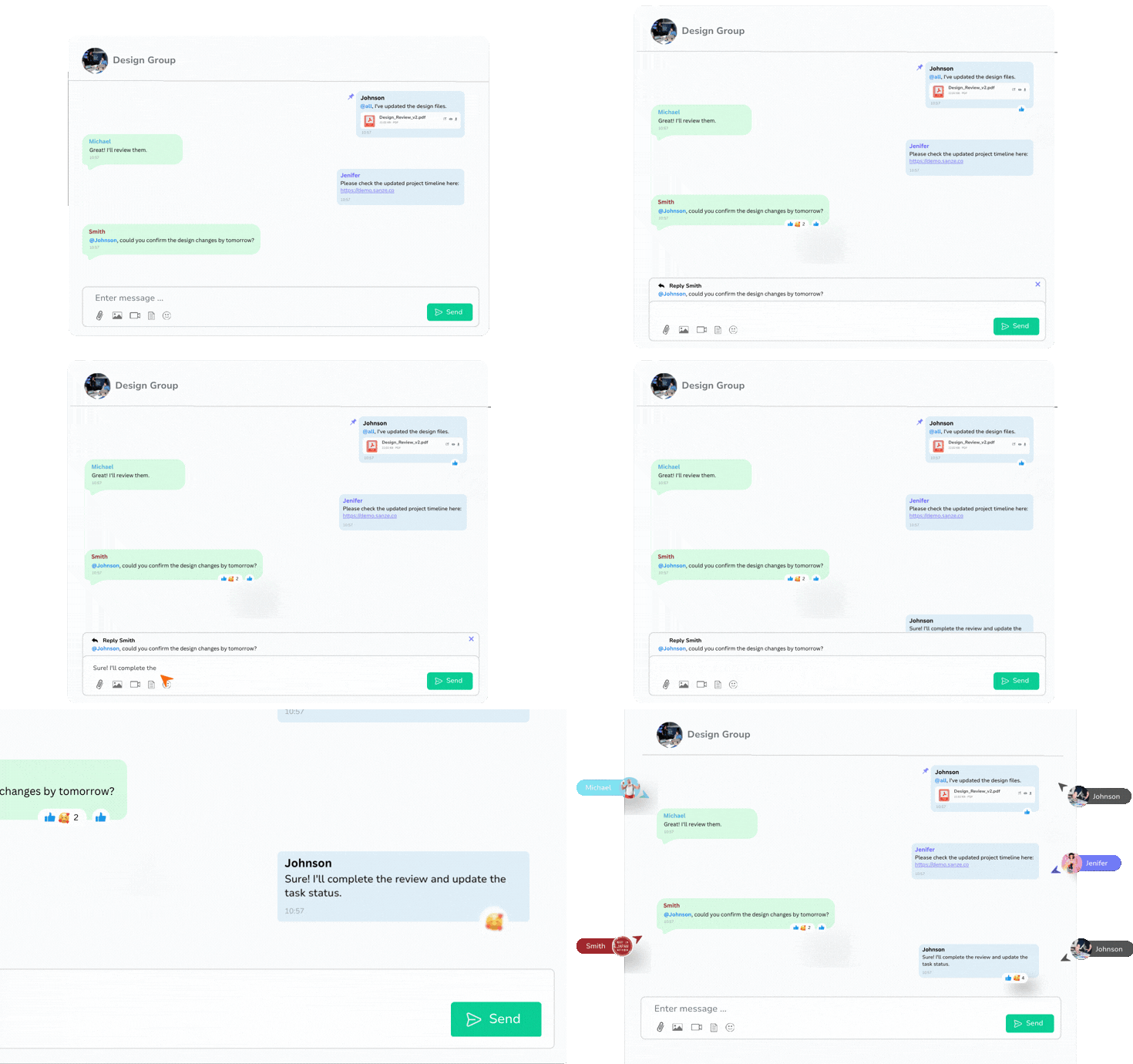
Keep communication useful and actionable with replies, mentions, reactions, and rich file sharing in one continuous timeline.

  • Replies and mentions
  • Images, videos, and files
  • Emoji reactions
  • Copy and paste image upload

Find Important Information Faster

Search conversations, pin key messages, and revisit shared media without scrolling through an endless history.

  • Message search
  • Pinned messages
  • Favorite rooms
  • Photo, file, and link libraries

Stay Informed Wherever You Work

Receive timely in-app and mobile notifications, then open the exact conversation that needs your attention.

  • Real-time message updates
  • Mention and reply notifications
  • Mobile push notifications
  • Unread message status

The Right Conversation for Every Team

Move naturally between private conversations and team rooms while keeping people, messages, and decisions easy to follow.

  • Direct messages
  • Team chat rooms
  • Room owners and members
  • Group names, descriptions, and avatars
Share More Than Messages

Keep communication useful and actionable with replies, mentions, reactions, and rich file sharing in one continuous timeline.

  • Replies and mentions
  • Images, videos, and files
  • Emoji reactions
  • Copy and paste image upload

Find Important Information Faster

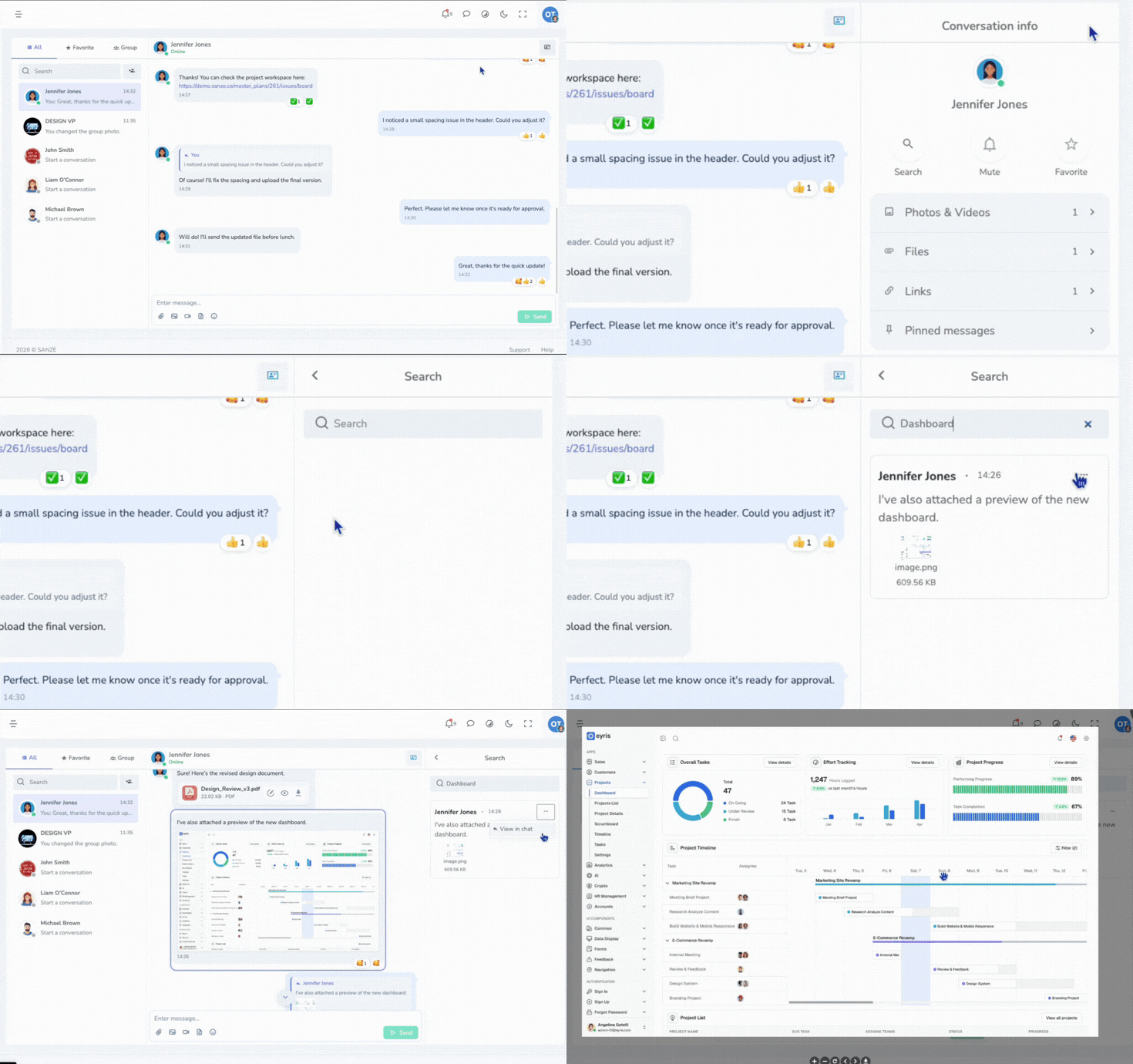
Search conversations, pin key messages, and revisit shared media without scrolling through an endless history.

  • Message search
  • Pinned messages
  • Favorite rooms
  • Photo, file, and link libraries

Stay Informed Wherever You Work

Receive timely in-app and mobile notifications, then open the exact conversation that needs your attention.

  • Real-time message updates
  • Mention and reply notifications
  • Mobile push notifications
  • Unread message status

From Conversation to Follow-Through

A simple communication flow keeps discussions focused and makes every next step easier to find.

01

Choose People

Start a private conversation or bring teammates into a focused group room.

02

Discuss the Work

Send messages, reply in context, mention teammates, and share supporting files.

03

Keep What Matters

Pin decisions, favorite important rooms, and find shared content whenever you need it.

04

Follow Up

Use unread states and notifications to return to the conversations that need action.

USE CASES

Built for Every Kind of Team Conversation

Project Discussions

Project Discussions

Team Coordination

Team Coordination

Customer Support

Customer Support

Company Announcements

Company Announcements

Document Reviews

Document Reviews

Meeting Follow-ups

Meeting Follow-ups

Idea Sharing

Idea Sharing

Mobile Collaboration

Mobile Collaboration

Frequently Asked Questions

If you have any questions, feel free to contact our team at

Yes. Direct messages provide a private conversation between two workspace members.

Yes. Create group rooms, add members, set a room name and description, and manage the group avatar.

You can share images, videos, documents, and other supported files directly in a conversation.

Yes. Search message history and use pinned messages to return to important information quickly.

Yes. Mention teammates or everyone in a group and reply directly to a specific message.

Yes. SANZE provides in-app notifications and supported mobile push notifications for new activity.

Yes. Each room includes libraries for shared photos, files, and links.

The group owner can add or remove members and transfer ownership according to workspace permissions.