
Menu

Turn Documents into Organized Business Knowledge

Create a centralized workspace where every document is easy to find, collaborate on, and manage throughout its lifecycle.

Get Started
Turn Documents into Organized Business Knowledge

One Place for Every Business Document

Bring every document into one centralized workspace, making it easier to organize information, collaborate across teams, and maintain control throughout its lifecycle.

Centralize Information

Store business documents in one organized workspace for quick access and easier management.

Collaborate Seamlessly

Share documents and work together across teams without disrupting your workflow.

Stay in Control

Manage permissions, track document changes, and protect important business information.

Transform Every Document into Business Knowledge

SANZE Document Organization
01

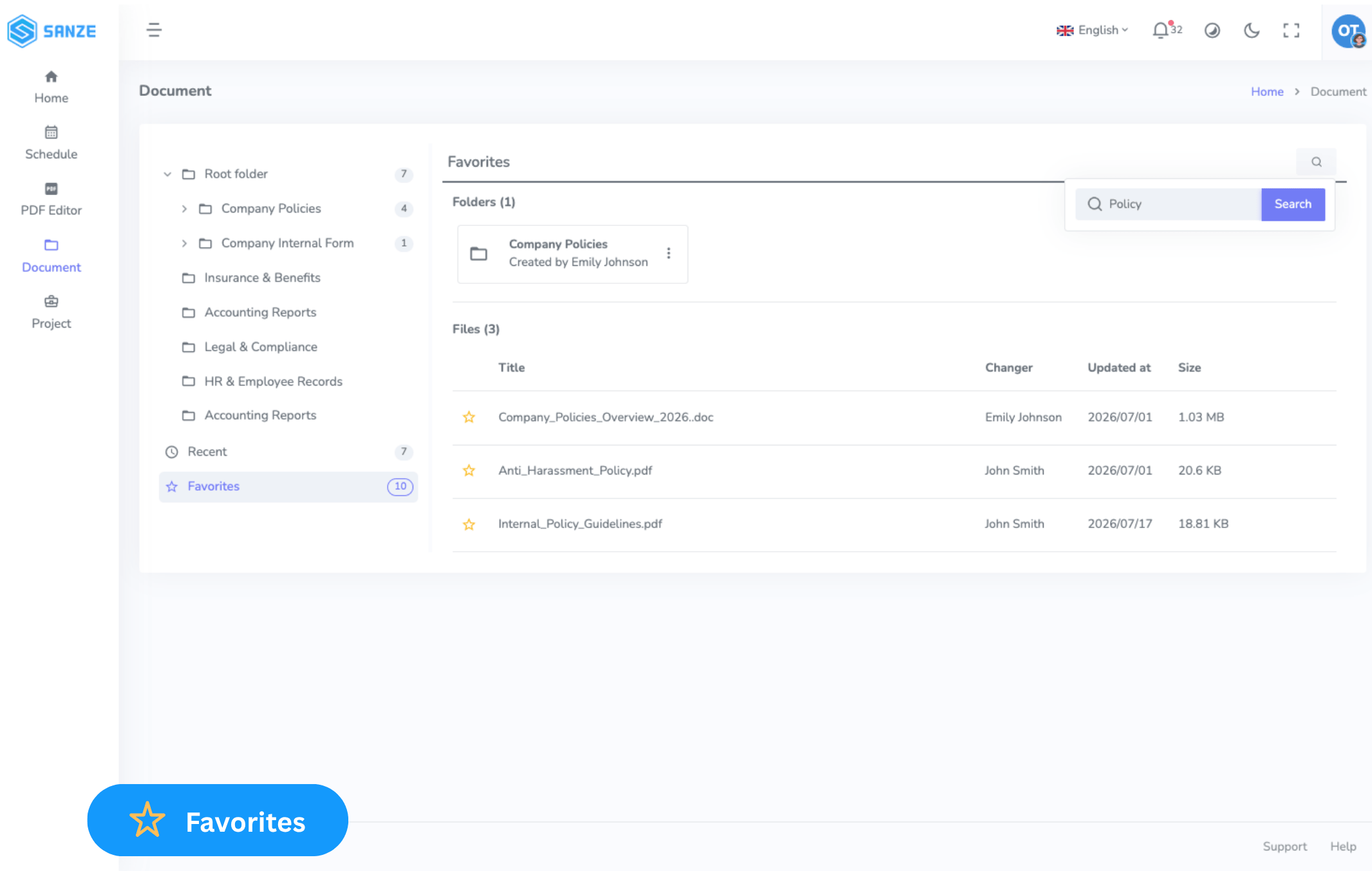
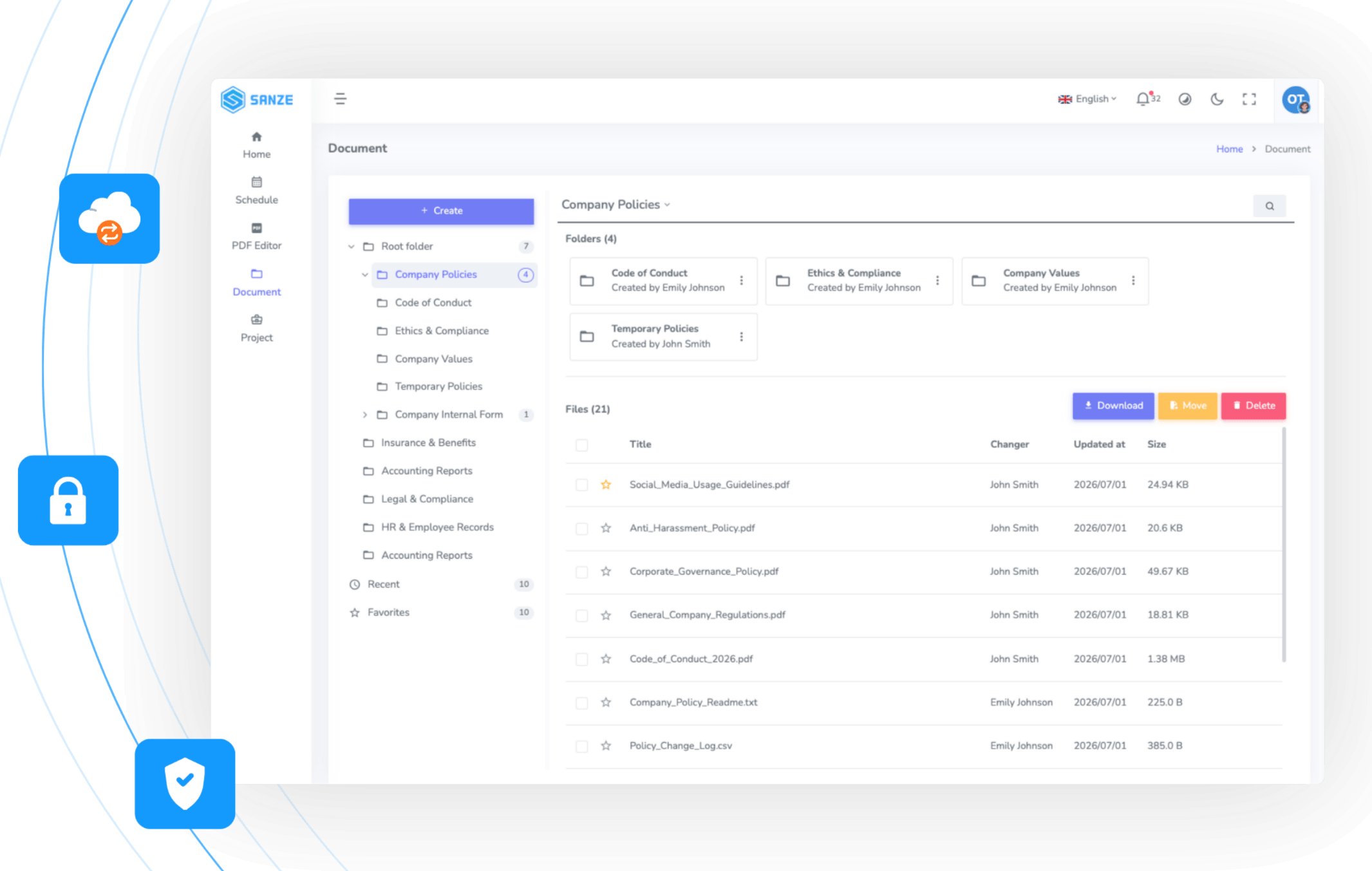
Find What You Need. When You Need It.

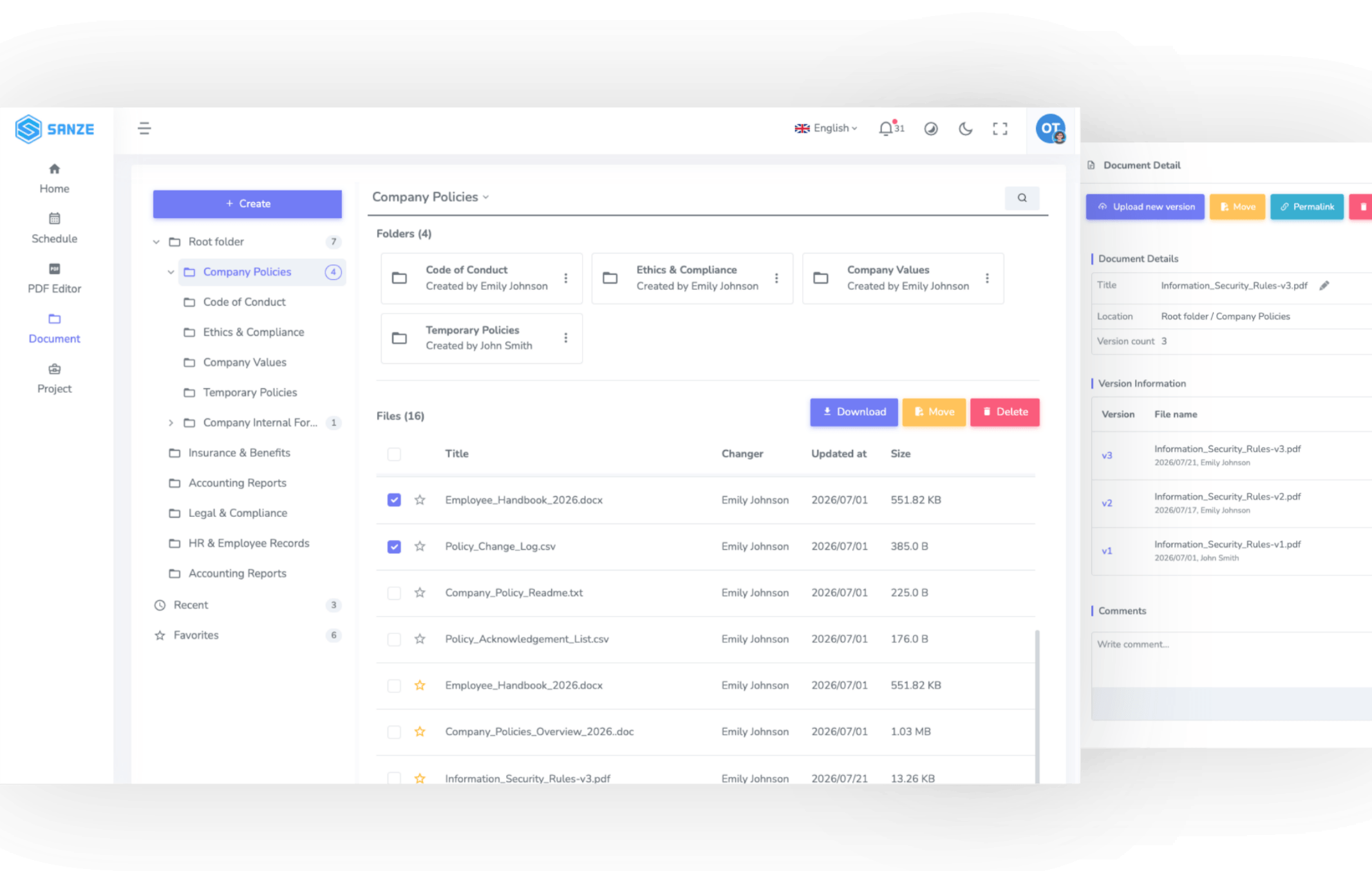
Stop wasting time searching through scattered files. Keep every document organized, structured, and instantly accessible from a single workspace.

  • Tree-Structured Folder Management
  • Centralized Workspace Repository
  • Recent & Favorites
  • Advanced Search
02

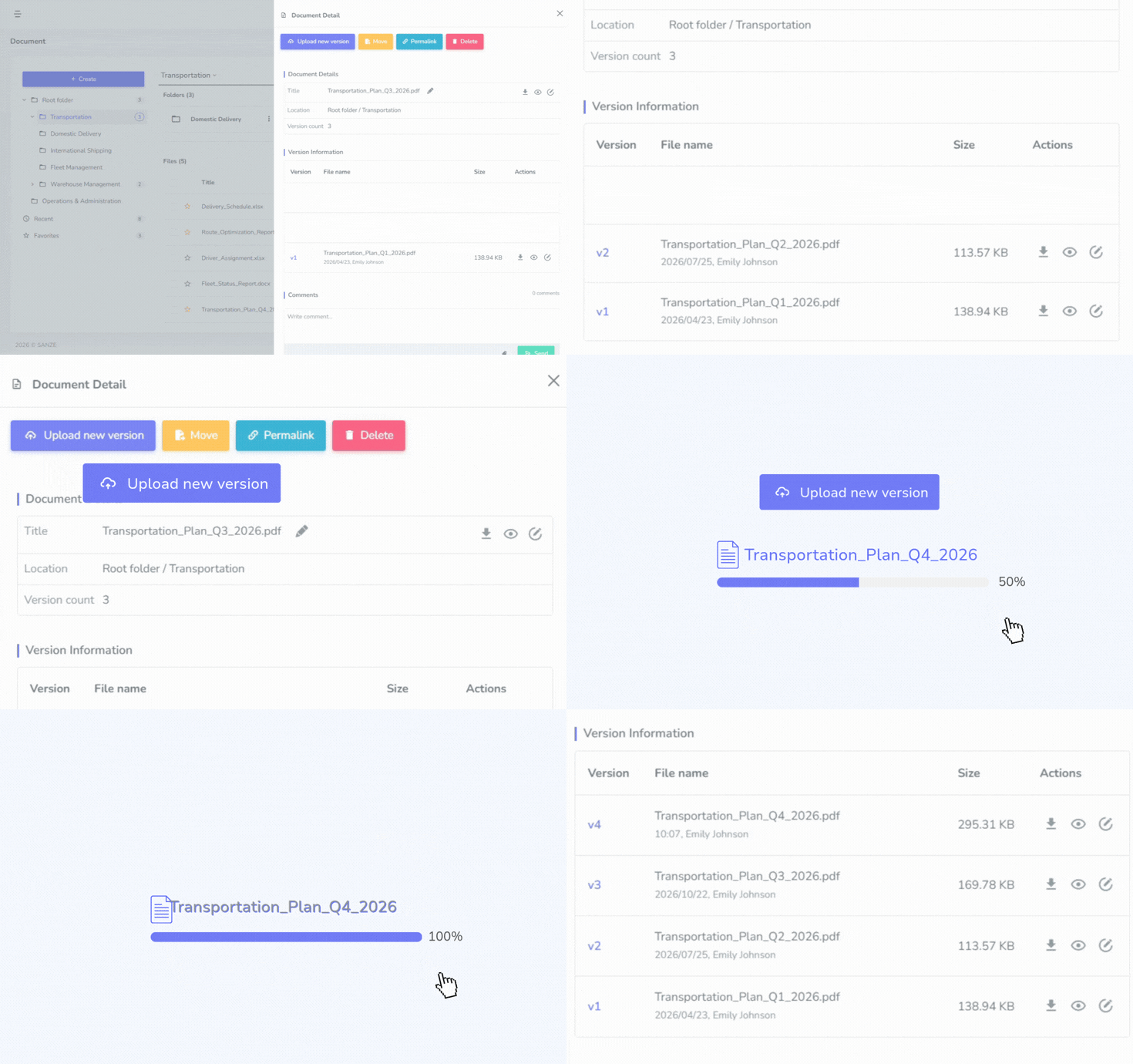
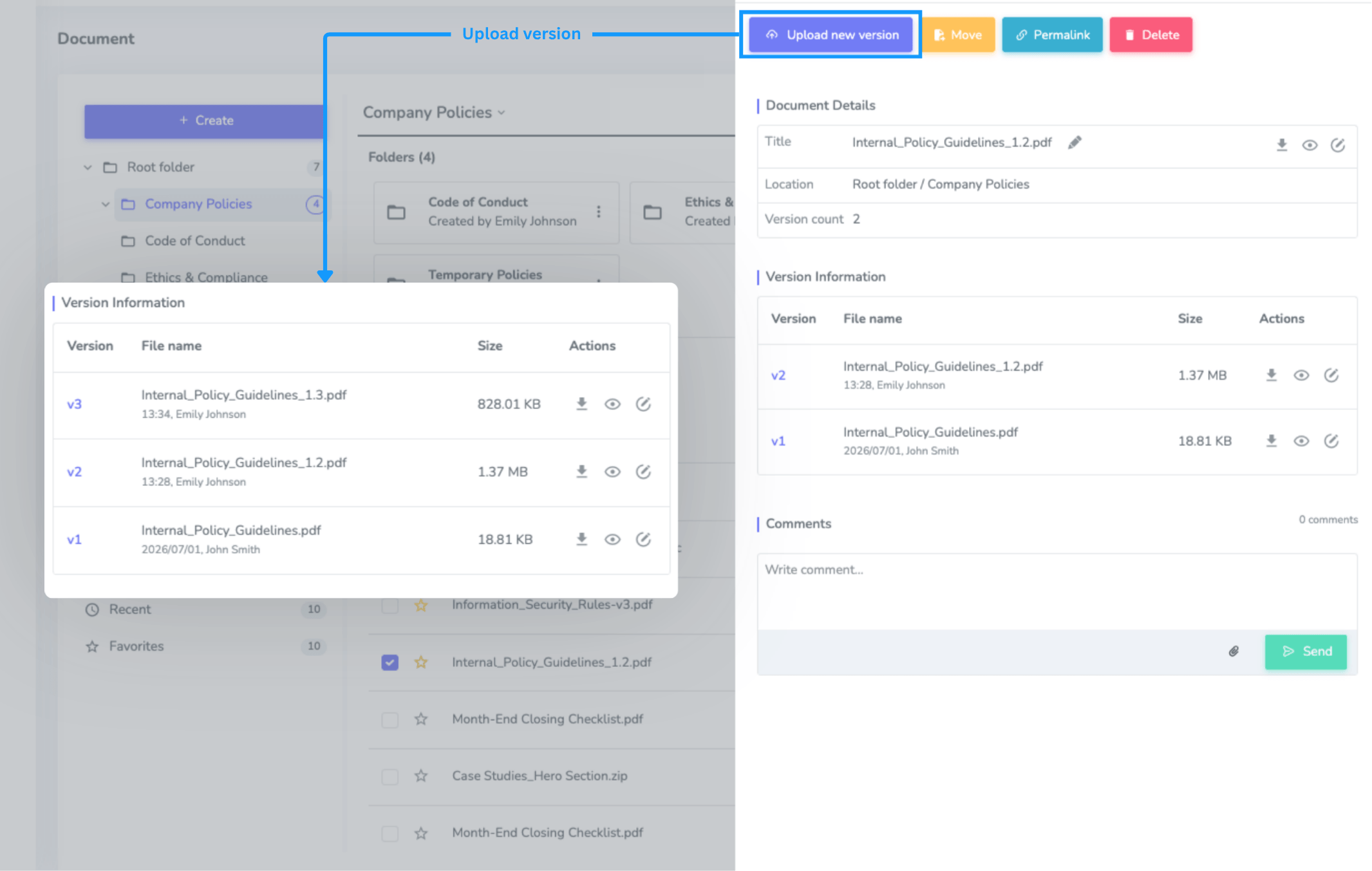
Smart Version Management

Track every document update and confidently restore previous versions whenever required.

  • Version History
  • Rollback Previous Versions
  • Complete Revision Tracking
SANZE Document Version Management
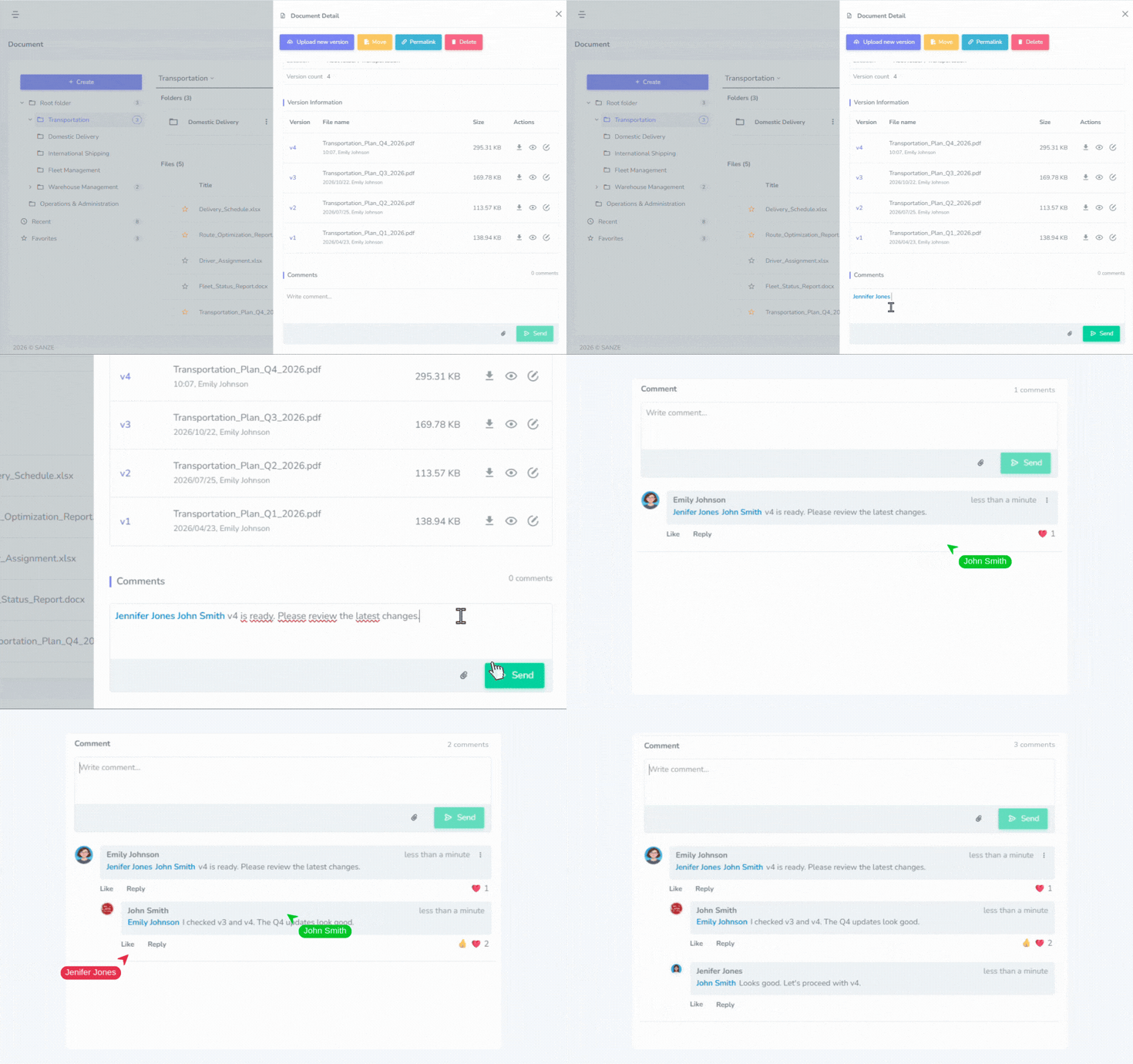
SANZE Document Collaboration
03

Real-Time Collaboration

Collaborate directly on documents without switching between different communication tools.

  • Document Comments
  • Team Mentions
  • Real-Time Notifications
  • PDF & Image Preview
04

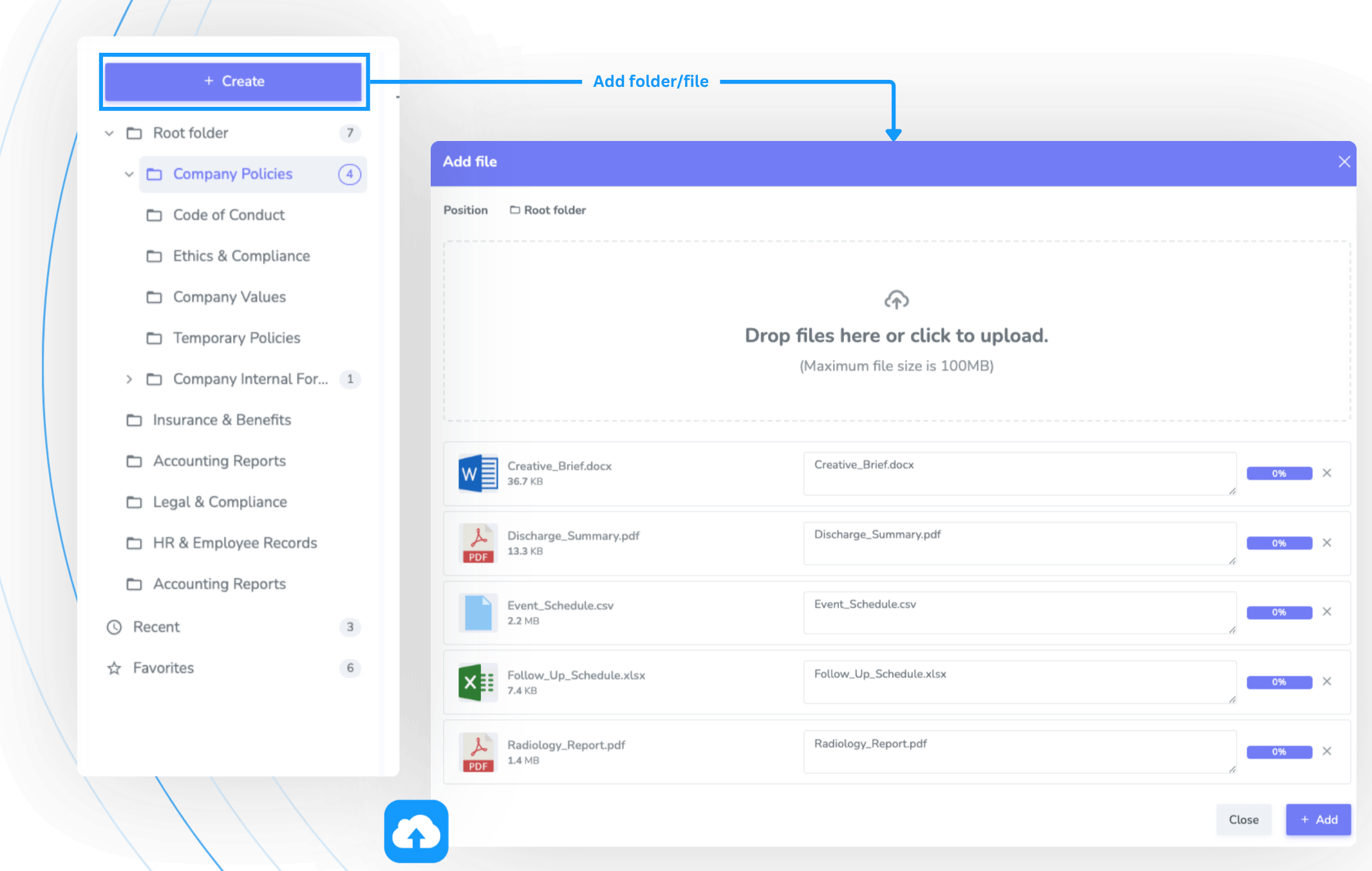
Secure Document Management

Protect your files with flexible permissions and reliable cloud storage while keeping everything connected within your workspace.

  • Folder-Based Permissions
  • Drag-and-Drop Multi-file Upload
  • Secure Amazon S3 Storage
  • Connected with Project & Schedule
SANZE Secure Document Management

A Simple Workflow for Every Document

Manage every document from upload to collaboration and version control in one continuous workflow.

Store & Organize

Upload documents and organize them into folders and subfolders for easy management and quick access.

Store and Organize Documents

Share & Collaborate

Share documents with teammates or external partners while managing access permissions for every file and folder.

Share and Collaborate on Documents

Find & Access

Use search, filters, and favorites to quickly locate the right document and keep work moving.

Find and Access Documents

Update & Track

Edit documents and track every update through version history, keeping changes clear and easy to review.

Update and Track Documents

Manage & Protect

Manage permissions, restore previous versions when needed, and protect documents throughout their lifecycle.

Manage and Protect Documents

Upload documents and organize them into folders and subfolders for easy management and quick access.

Share documents with teammates or external partners while managing access permissions for every file and folder.

Use search, filters, and favorites to quickly locate the right document and keep work moving.

Edit documents and track every update through version history, keeping changes clear and easy to review.

USE CASES

Manage Every Project with Confidence

All-in-one business management

Contract Management

All-in-one business management

Policy Management

All-in-one business management

Shared Team Files

All-in-one business management

Customer Documents

All-in-one business management

Project Documentation

All-in-one business management

Internal knowledge

All-in-one business management

Technical drawings

All-in-one business management

Business forms

FAQs


Manage contracts, project files, business records, forms, and other documents in one centralized workspace.

Yes. View document history to see when changes were made and who made them.

Yes. Organize documents with folders and subfolders for easier management and navigation.

Yes. Restore earlier versions whenever needed to recover important changes.

Share files or folders with teammates and set access permissions for each user.

Yes. Open and edit PDF files directly with SANZE Edit PDF without downloading them.

Yes. Add documents to Favorites for faster access.

Yes. Upload multiple files in a single action to save time.