Menu

Smart Scheduling for People, Teams, and Business Operations

Simplify scheduling across teams with shared calendars, automated reminders, real-time updates, and a clear view of every plan.

Get Started
Smart Scheduling for People, Teams, and Business Operations

Every Schedule. Perfectly Connected.

Connect schedules, people, and resources in one centralized workspace, helping teams plan better, stay aligned, and adapt with confidence.

Plan with Clarity

Create a shared plan so everyone starts with the same priorities and direction.

Work in Sync

Keep teams and schedules aligned to improve coordination across the organization.

Adapt with Confidence

Respond quickly to changes while keeping everyone informed and work moving forward.

Turn Every Schedule into Operational Excellence

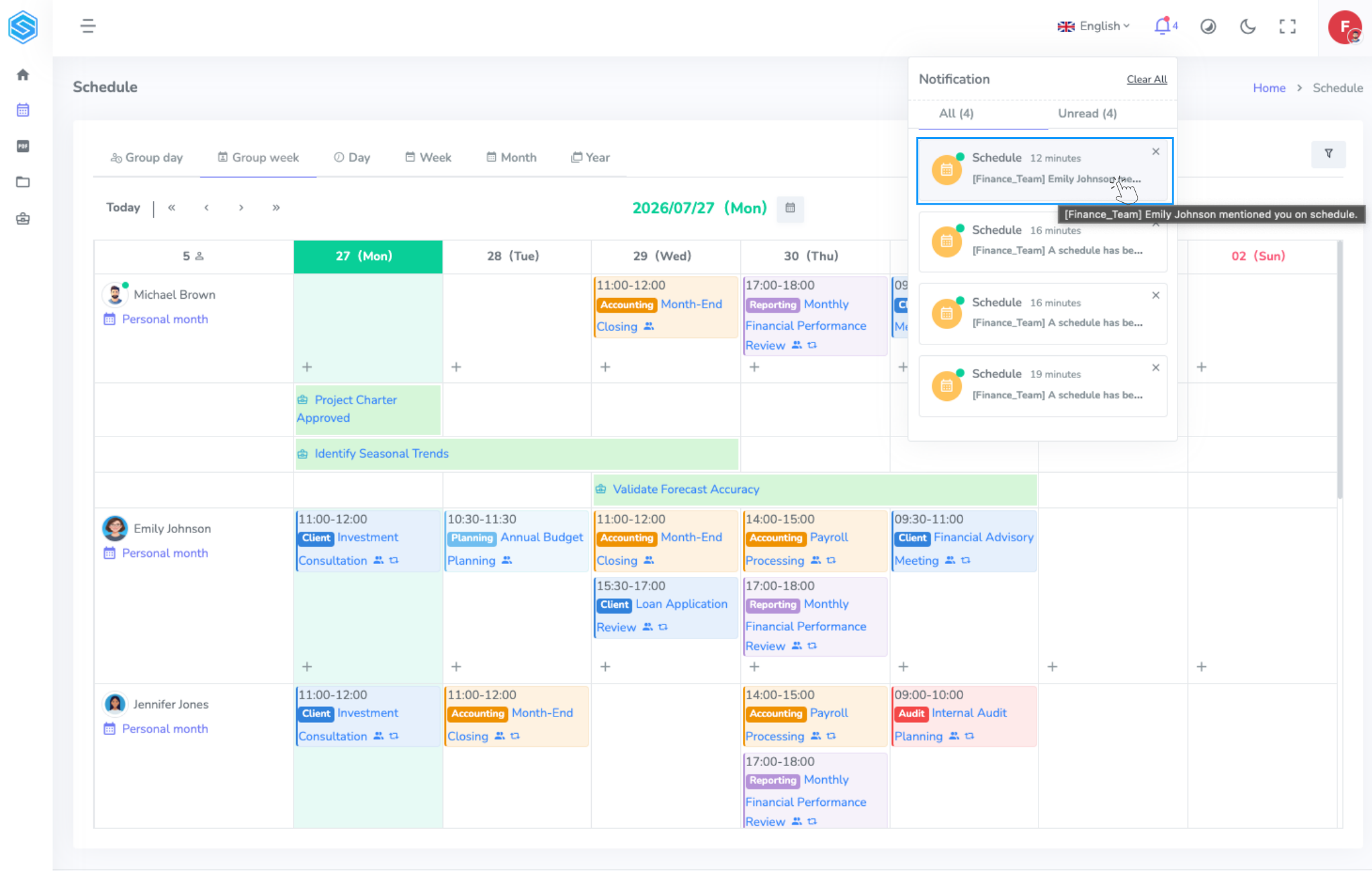
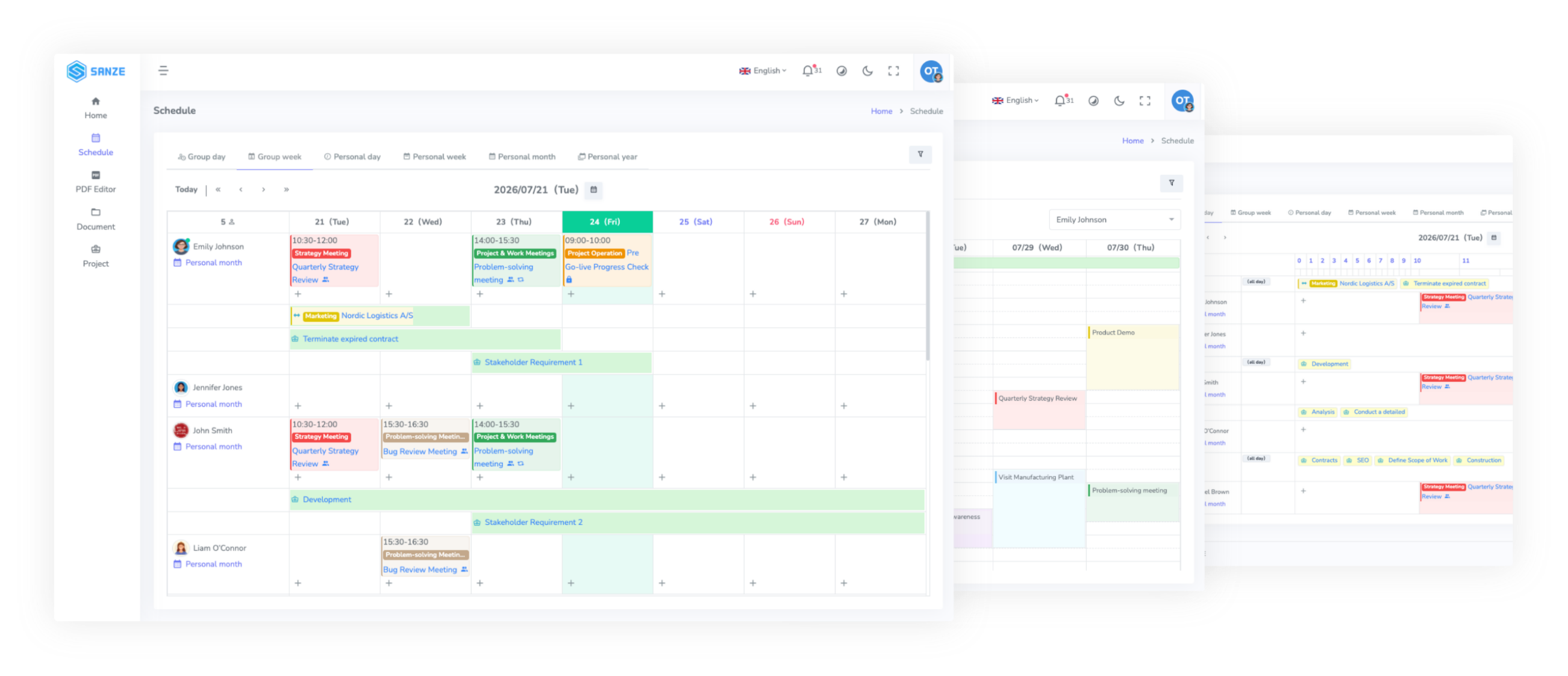
SANZE Schedule Overview
01

See Everything. Miss Nothing.

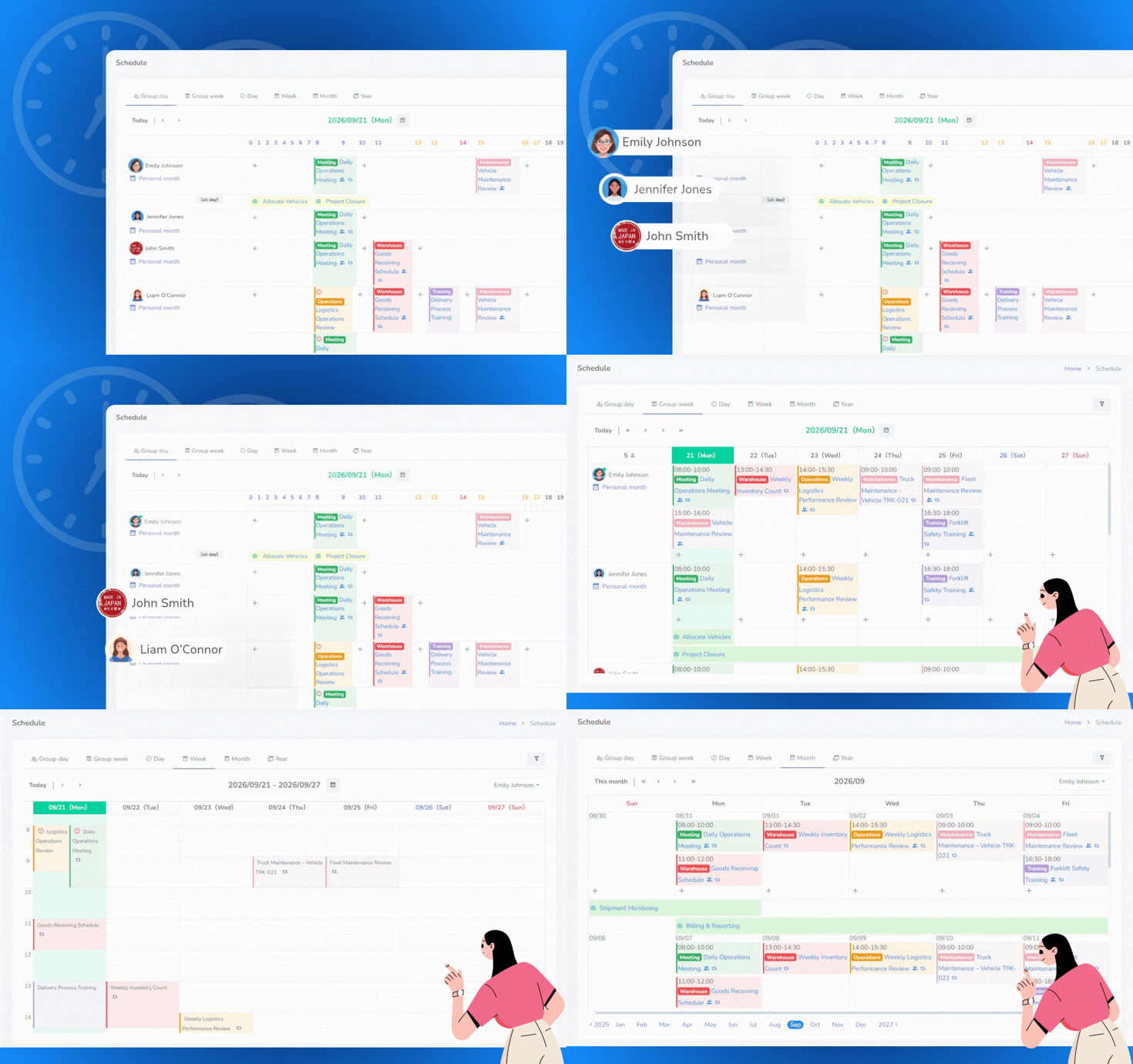
From your personal calendar to your entire organization, every schedule is just a click away—so you always know what's happening and what's next.

  • View schedules by day, month, or year
  • Switch between personal and team calendars
  • Find schedules by people or activity
  • Navigate every schedule with ease
02

Plan Work with Confidence

Create work schedules, meetings, business trips, and recurring events in just a few clicks, keeping every plan organized from the start.

  • Work schedules
  • Meeting schedules
  • Business trips
  • Recurring schedules
SANZE Schedule Planning
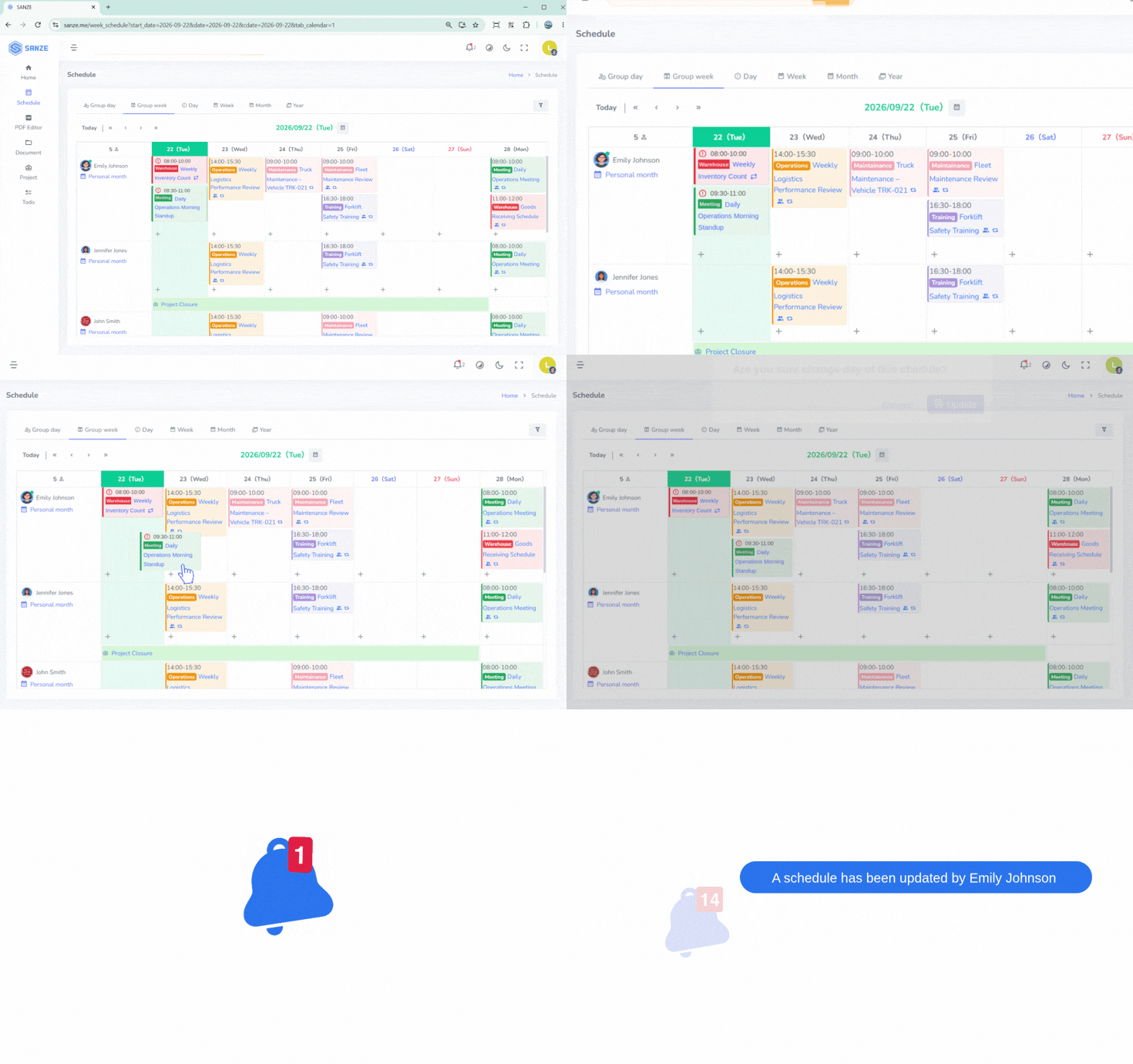
SANZE Flexible Schedule Management
03

Flexible Schedule Management

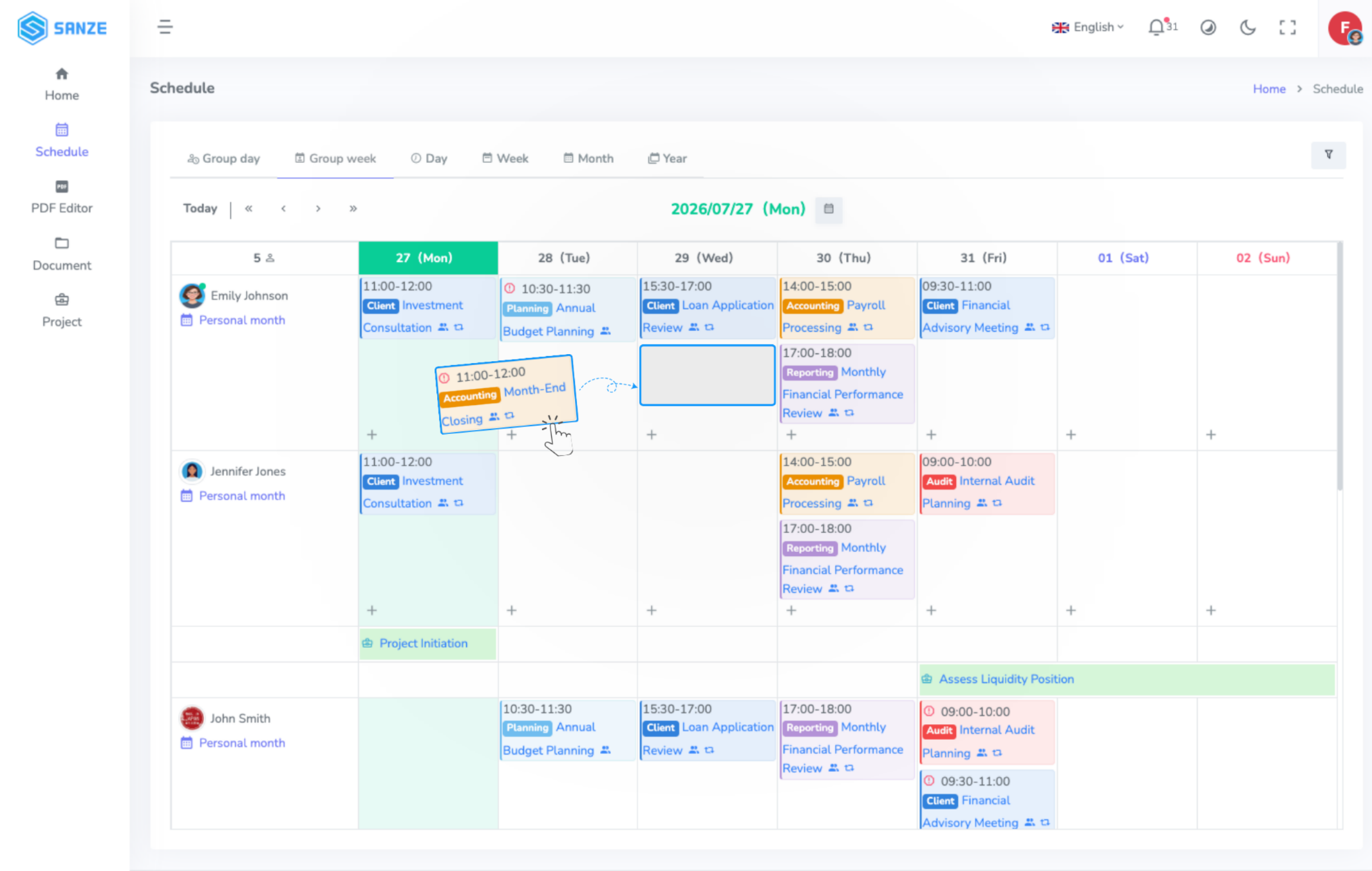
Reschedule events with drag and drop, modify participants, and automatically detect scheduling conflicts before they impact your work.

  • Drag-and-drop rescheduling
  • Automatic conflict detection
  • Real-time schedule updates
  • Instant notifications
04

Stay Connected Wherever Work Happens

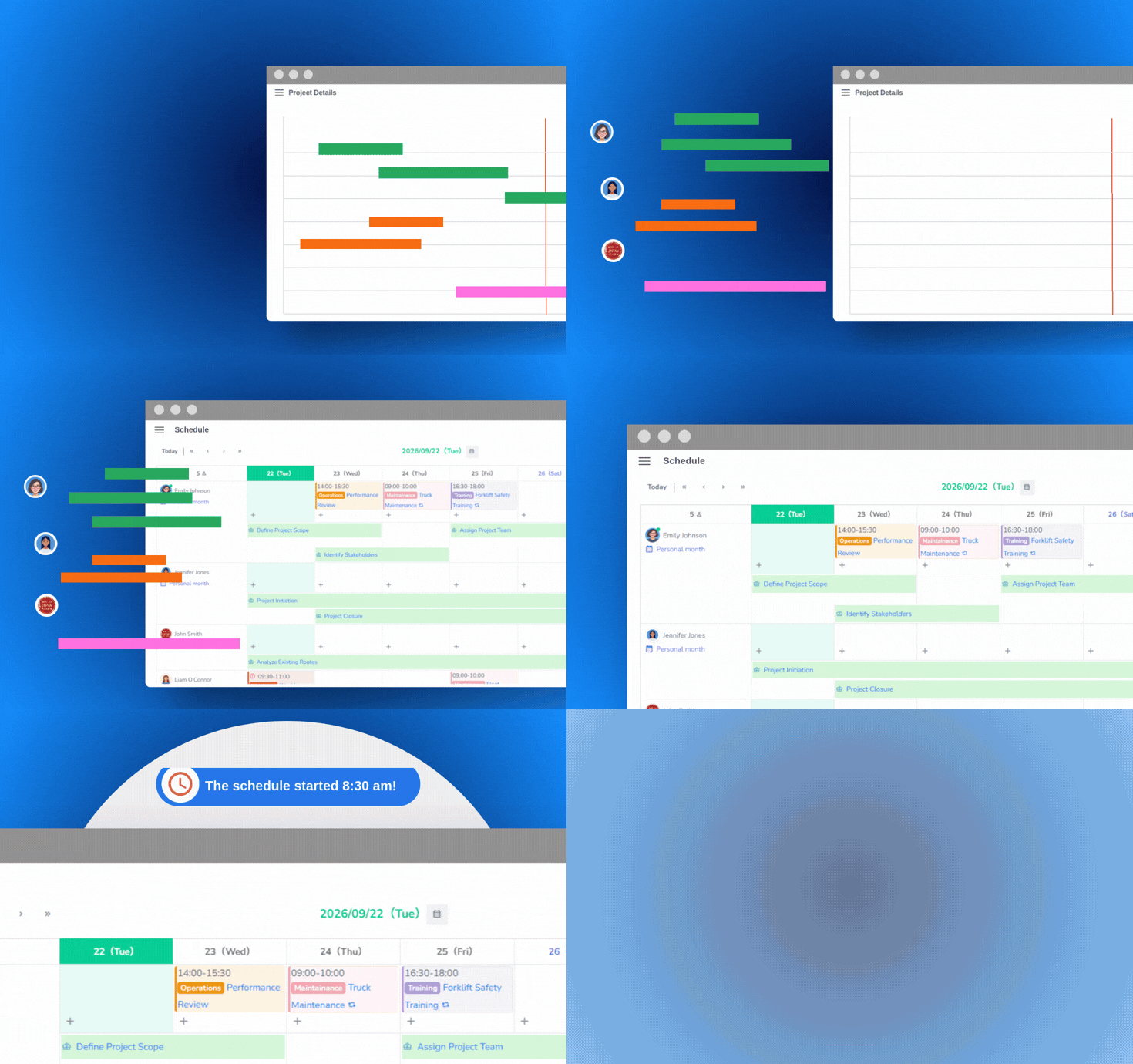
Keep schedules synchronized across your favorite tools and receive timely reminders, so everyone stays informed and every deadline stays on track.

  • Project deadline synchronization
  • Desktop reminders
SANZE Schedule Synchronization

From Planning to Execution

Plan, coordinate, adapt, and execute every schedule from one centralized workspace to keep your teams aligned and work moving forward.

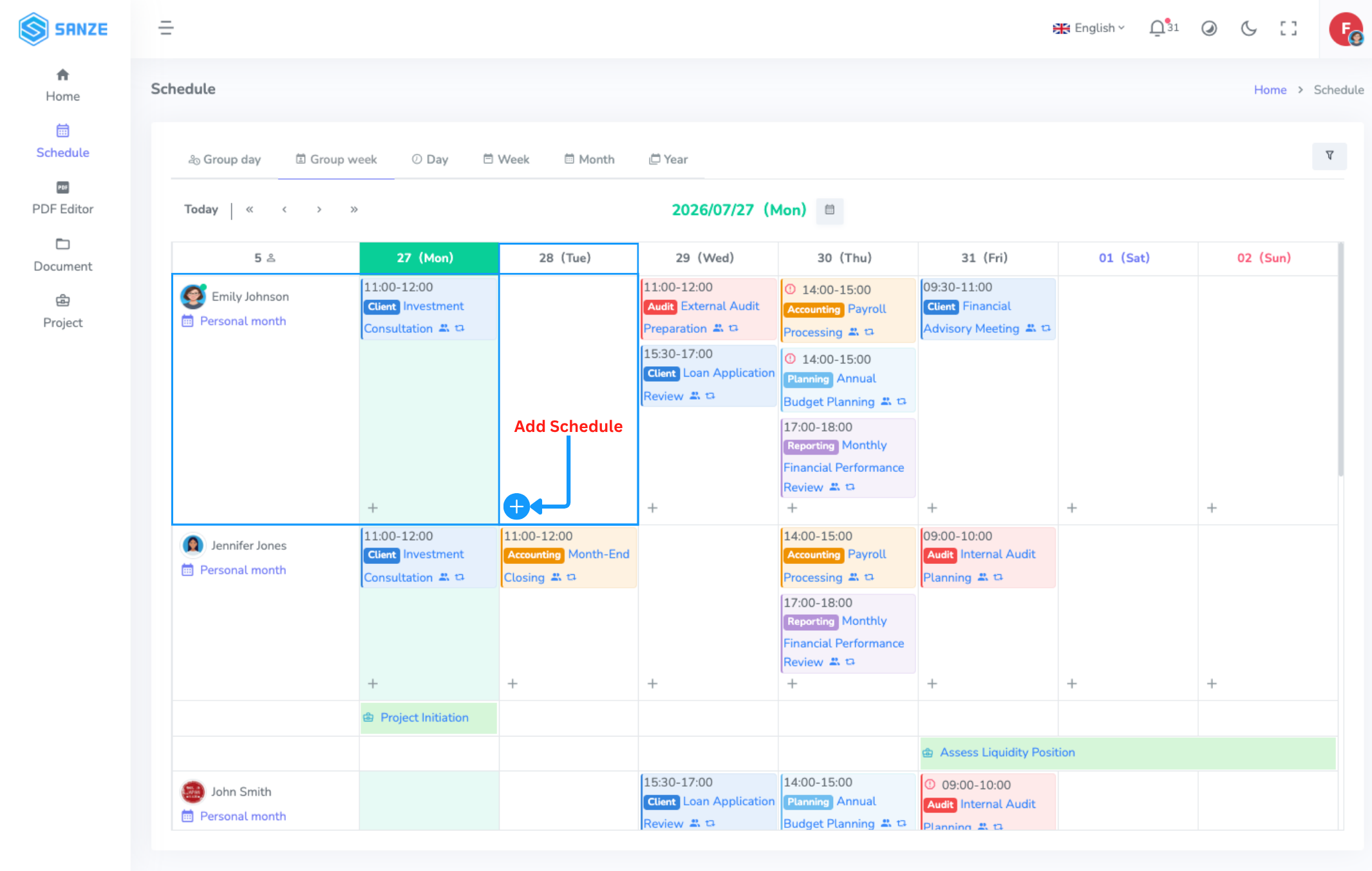
Choose People and Date

Select the people and date you want to schedule, then click Create Schedule to start planning.

Choose People and Date

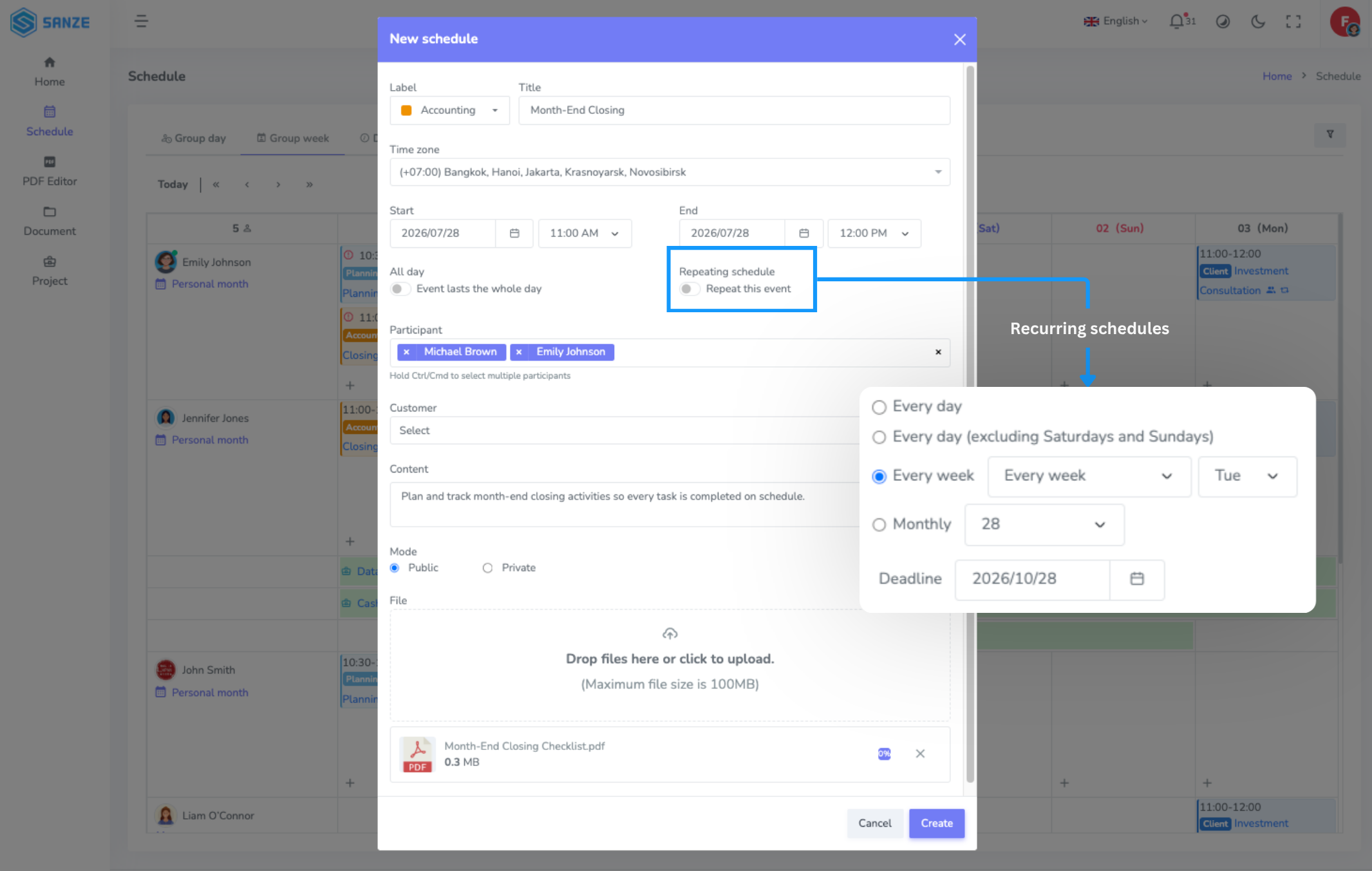
Set Up the Schedule

Add the event details, including title, time, participants, and location. Select recurring schedules for routine activities to save time and keep plans organized.

Set Up the Schedule

Adjust as Plans Change

Reschedule with drag and drop, update participants or resources, and let SANZE automatically detect scheduling conflicts to keep everything running smoothly.

Adjust as Plans Change

Share and Notify

Share schedules with your team and send automatic reminders via SANZE and email. Keep everyone informed, aligned, and on track.

Share and Notify

Select the people and date you want to schedule, then click Create Schedule to start planning.

Add the event details, including title, time, participants, and location. Select recurring schedules for routine activities to save time and keep plans organized.

Reschedule with drag and drop, update participants or resources, and let SANZE automatically detect scheduling conflicts to keep everything running smoothly.

Share schedules with your team and send automatic reminders via SANZE and email. Keep everyone informed, aligned, and on track.

USE CASES

Built for Every Business Schedule

Team Scheduling

Team Scheduling

Meeting Management

Meeting Management

Recurring Activities

Recurring Activities

Business Trip Planning

Business Trip Planning

Training Schedules

Training Schedules

Shift Planning

Shift Planning

Event Scheduling

Event Scheduling

Cross-Team Coordination

Cross-Team Coordination

FAQs


Manage work schedules, meetings, business trips, and more from one centralized workspace.

Yes. Simply drag and drop to update schedules in seconds.

Yes. Easily switch between personal and team views based on your needs.

Yes. Create daily, weekly, or monthly recurring schedules for routine activities.

Yes. Changes are updated instantly, keeping everyone on the same page.

Yes. SANZE Schedule supports business trips, multi-day schedules, and extended events.

Yes. The system automatically alerts you when people are already scheduled.

SANZE Enterprise allows you to synchronize your calendar with Microsoft Outlook.